Business API Integration: A Checklist for CRM, ERP, Payments, and Third-Party Services
An API integration creates value not because systems are technically connected, but because a customer, employee, or partner sees consistent information and can complete a business process without manually moving data between applications. To achieve that result, define data ownership, exchange rules, access, failure behavior, and post-launch verification before writing the integration.
The short answer: a dependable API integration starts with the business process, not an endpoint. First establish participating systems and roles, the source of truth for each data item, and the expected behavior when a dependency fails. Then design the contract, security, idempotency, monitoring, and rollout.
API integration connects applications or systems so that they can exchange data and functionality through application programming interfaces. Common business patterns include one-way and two-way synchronisation, data movement into an analytics store, and B2B exchange with partners. Connection alone does not guarantee correctness, however. If two systems interpret an order status or customer owner differently, automation can distribute the error faster.
Start with the business process, not an API inventory
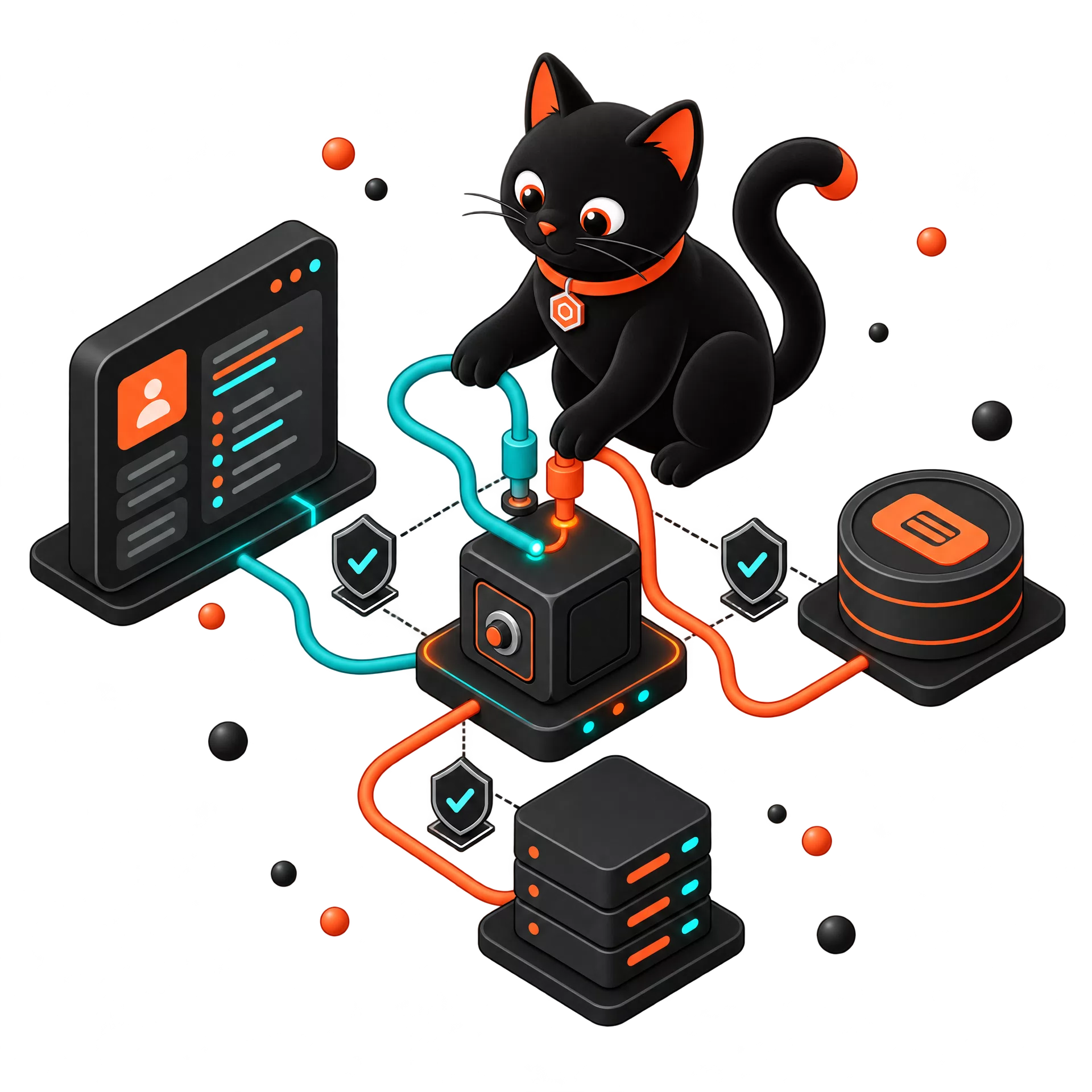
Consider a B2B commerce workflow. A customer submits an order in a portal; the payment provider confirms payment; ERP reserves stock; CRM records the customer interaction; and a delivery service receives a fulfilment request. It is unsafe to design this flow by asking only which API methods exist. First document the actors, events, states, allowed delay, and exception paths.
| Question to resolve before development | Why it matters | Example answer |
|---|---|---|
| Which event starts the exchange? | It defines the trigger and accountability | “Order approved by a manager” or “payment status becomes paid” |
| Which system is the source of truth? | It prevents conflicting records | ERP owns inventory and shipment; CRM owns account-manager assignment |
| Which data must move? | It limits unnecessary access and unstable fields | Order ID, items, price, customer, delivery status; not the entire profile |
| What latency is acceptable? | It guides synchronous versus asynchronous design | Availability is near real time; a finance report can refresh hourly |
| What happens if a system is unavailable? | It defines retry, queue, alert, and communications | Accept the order, queue the event, and alert the responsible operator |
If these answers do not exist, the integration is not ready for a meaningful estimate. Code can be written, but the business cannot determine whether it works correctly.
The 12-point API integration checklist
1. Define the process boundary and owner
Describe a specific flow rather than “integrate CRM and ERP”: lead creation, customer synchronisation, order handoff, status updates, reporting export, or document generation. Assign a business owner who decides policy and exception behavior. Engineering owns the implementation but should not have to guess which of two conflicting statuses is correct.
2. Assign a system of record for every entity
The same information often exists in several places: a customer email in CRM, ERP, and a portal; a product in a catalogue, ERP, and marketplace; an order in a portal, payment system, and warehouse. Assign a primary source for each entity and material field.
| Entity | System of record | Who may change it | Who receives a copy |
|---|---|---|---|
| Customer and account owner | CRM | Sales team or controlled portal integration | ERP, B2B portal |
| Stock and fulfilment | ERP/WMS | Warehouse or ERP process | Portal, CRM |
| Customer order | Portal or ERP, by agreed model | Customer creates; manager or ERP confirms | CRM, payment provider, delivery service |
| Payment status | Payment provider | Provider, through a verified webhook | Portal, ERP, CRM |
This table avoids a common failure mode: two services updating the same field and creating a loop of conflicting changes.
3. Document a data contract, not just an endpoint
A data contract defines field names, formats, required values, valid states, change permissions, and supported versions. A status named confirmed may mean “manager reviewed the order” in one system and “funds received” in another. Passing the same string does not create shared meaning.
The contract should include request and response examples, validation rules, error codes, versioning, and ownership of future changes. Consumers need a migration period when an API changes, rather than discovering incompatibility through a production incident.
4. Choose synchronous or asynchronous exchange intentionally
Synchronous calls suit a moment when a user needs an immediate answer, such as verifying a payment option or checking availability. An asynchronous queue or webhook suits a long-running operation, an external dependency, or a process that must tolerate temporary unavailability.
Many workflows use both. A portal can validate an order synchronously, then place warehouse delivery in a queue. The user receives a confirmation while the platform can retry the event safely if a downstream system is unavailable.
5. Design idempotency before duplicates occur
Networks, webhooks, and user interfaces can deliver the same event more than once. Without idempotency, a retry can create duplicate orders, payments, or notifications. Idempotency means that repeating an operation with the same key does not change the result after the first successful execution.
Typical implementations use an idempotency_key, an external order identifier, a processed-event store, or strict state-transition validation. The important point is to apply one agreed approach across the flow and test it automatically.
6. Plan retries, a dead-letter queue, and human resolution
“Retry five times” is not a complete failure strategy. Decide which errors are temporary, which require data correction, how retry delays grow, and where a message goes when attempts are exhausted. A dead-letter queue retains failed events rather than losing them and turns them into a traceable support task.
An operator needs a practical view of what failed, why it failed, what data was sent, and whether a retry is safe. Without this, support becomes a slow search through logs and guesswork.
7. Use dedicated credentials, least privilege, and secure secret storage
Each integration should have its own credentials, limited to defined endpoints and operations. Do not embed keys in source code, documents, chats, or client applications. Use a secure secrets store, rotate credentials, and retain the ability to revoke access quickly.
Permissions should reflect the task. A delivery partner that receives an address and order reference does not need payment history or unrestricted customer access. Least privilege limits harm when a credential is misused or compromised.
8. Separate authentication from authorisation
Authentication answers “who made this request?” Authorisation answers “what is that subject allowed to do?” A signed token alone is not enough. Validate scopes, tenant, user, object, and requested action. This is essential for multi-tenant SaaS products, B2B portals, and APIs containing personal data.
Verify in the backend that one customer cannot access or change another customer’s information by modifying an ID in a URL or request body. Client-side interface checks are not sufficient.
9. Protect personal and confidential data
Transfer only the data required for the process. Set log-retention periods, mask sensitive fields and secrets, encrypt data in transit, and define who may access integration logs. If personal data is involved, agree applicable contractual, legal, and regional requirements before launch.
Logs are essential for investigation, but they must not become an unprotected secondary database of sensitive information.
10. Monitor the business process, not only HTTP codes
An HTTP 200 does not necessarily mean a business process completed. A workflow is successful only when all relevant systems receive correct data, statuses agree, and material actions finish. Monitor technical errors alongside process metrics: created orders, unprocessed-event rate, time to confirmation, reconciliation mismatches, and manual corrections.
Use a correlation ID across systems so a support engineer can trace one order from portal to ERP, payment, and delivery.
11. Reconcile records and investigate mismatches
Even a well-built integration can face an external outage, a bad reference record, or a manual change. Run regular reconciliation across material records. For instance, each night compare paid orders reported by the payment provider with paid-order states in ERP.
When a mismatch appears, create a task and state which system wins. Do not automatically overwrite data without a rule: a discrepancy may be important evidence of a process problem.
12. Roll out gradually and keep a rollback path
Test first in a separate environment using realistic but anonymised data. Then enable the integration for a limited client group, order type, or business unit. Prepare dashboards, alerts, and accountable owners before sending full production traffic.
A rollback plan should state how new events are paused, how queued events are handled, how statuses are restored, and who makes the decision. The higher the cost of an error, the more important a staged rollout becomes.
Example: B2B portal orders sent to ERP, CRM, and payments
The following simplified flow avoids hidden errors and duplicate operations.
| Stage | Event and action | Control |
|---|---|---|
| 1 | A customer creates an order in the portal | The portal creates a unique ID and checks customer permissions |
| 2 | The portal sends the order to ERP | Idempotency key, schema validation, queue if ERP is unavailable |
| 3 | ERP reserves stock and returns a state | ERP owns reservation; response is stored with the correlation ID |
| 4 | CRM receives order information | One-way synchronisation; CRM cannot overwrite warehouse states |
| 5 | The provider sends a payment webhook | Signature validation, duplicate handling, external payment-ID mapping |
| 6 | The portal shows the final state | Status is derived from agreed events, not a single arbitrary field |
| 7 | A nightly reconciliation runs | Orders and payments are compared; mismatches enter a support queue |
How to know an integration is ready to launch
A production launch should have four practical artefacts: a process description, a data contract with examples, an access-and-permission table, and an operational guide for errors and rollback. When any one is missing, a technically functioning integration can become a source of continuous manual repair.
Piplos Media builds backend systems and APIs, including REST and GraphQL APIs, real-time systems, third-party integrations, documentation and versioning, plus functional, integration, and load testing. The team can assess an existing exchange, build a safe integration roadmap, or implement the backend for a new digital product. See delivered platforms and services in the Piplos Media portfolio.
FAQ
Is API integration always better than file exchange?
No. APIs can exchange structured data close to real time and enforce access controls. File exchange can still be appropriate where a partner has no API or the process does not need low latency. Choose based on data, frequency, volume, and failure risk.
Should every integration use REST or GraphQL?
No. REST and GraphQL address different data-access needs. Webhooks, queues, or event-driven patterns may be better for asynchronous processes. Start with the workflow and latency requirement, not the technology label.
How do we avoid duplicate orders from webhooks?
Validate the sender signature, retain a unique event identifier, process the same ID idempotently, and separate webhook acknowledgement from a long business operation. Repeated delivery should be an expected design condition, not an exception.
Can CRM, ERP, and payment integration be delivered in stages?
Yes, and staged delivery is often safer. Begin with one critical flow, such as sending an approved order to ERP, validate data quality and failure handling, then add CRM, payment, and additional statuses.