What is a server infrastructure audit
A server infrastructure audit is a systematic review of all cloud and server resources of a project: which ones are actually used, how much they cost, who owns them, and which can be safely reduced or decommissioned without risk to production.
This is not "looking for free disk space" and not a one-time cleanup based on gut feeling. It is an engineering procedure with inventory, dependency checks, and controlled decommissioning of resources.
Why infrastructure becomes more expensive unnoticed
When a new digital product is launched, the team is usually focused on functionality, releases, and user support. Server infrastructure is perceived as a stable background: if the application responds, everything is fine.
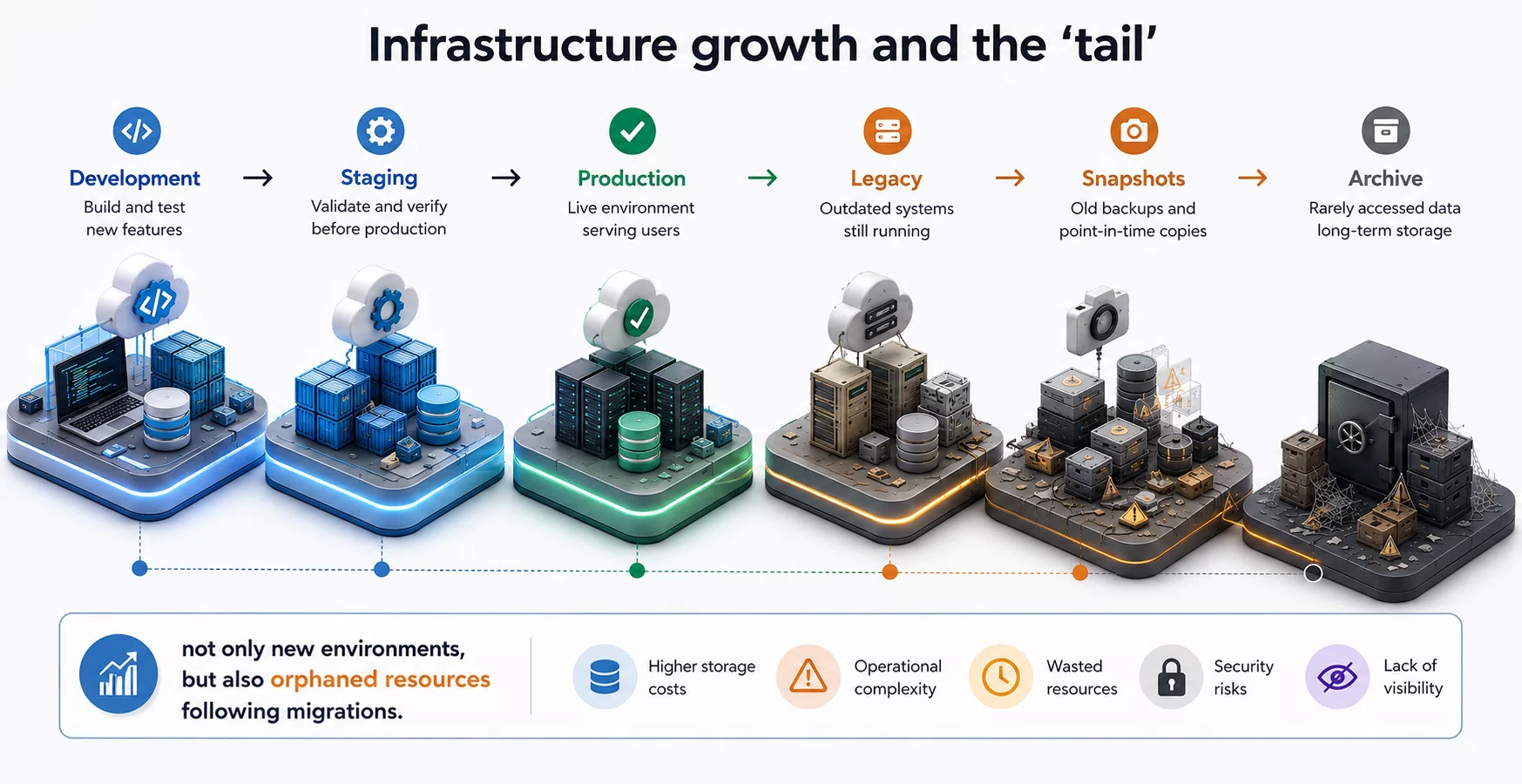
In practice, every stage of development leaves traces behind:
- temporary servers for tests and migrations;
- staging environments "just in case";
- old production instances after migration;
- forgotten load balancers and reserved IPs;
- snapshots and volumes that nobody cleans up for months;
- archives in object storage and media duplicates.
A single resource seems inexpensive. In total, after 1–2 years of operation, excess capacity often results in hundreds, and for growing projects — thousands of dollars per year of wasted spending. Additionally, the bill is inflated by non-obvious items: oversized Droplets (rightsizing), idle Managed Database and replicas, a permanent Load Balancer "for the future," and egress traffic.
That is why a regular infrastructure audit should be considered alongside backups, monitoring, and security updates.
The most common mistake
In many companies, infrastructure grows by accumulation.
A new release — a new server.
Testing — another one.
Migration — the old one was left "just in case."
A new version of the application — another environment appeared.
After a few years, it is already hard to confidently answer:
- which servers are actually used and who owns them;
- which services participate in the production path;
- which resources can be decommissioned;
- what is stored in object storage and why;
- which snapshots and backups are still needed per retention policy;
- whether there are tags, IaC descriptions, and billing attribution.
Typical anti-patterns we see most often:
- orphan Floating IPs and unused Load Balancers;
- staging that nobody has touched for months but is still billed;
- forever-snapshots after every migration;
- duplicate test databases with production-like size;
- Spaces directories without lifecycle policies.
The lack of answers to these questions gradually turns into constant financial losses.
What a full infrastructure audit includes
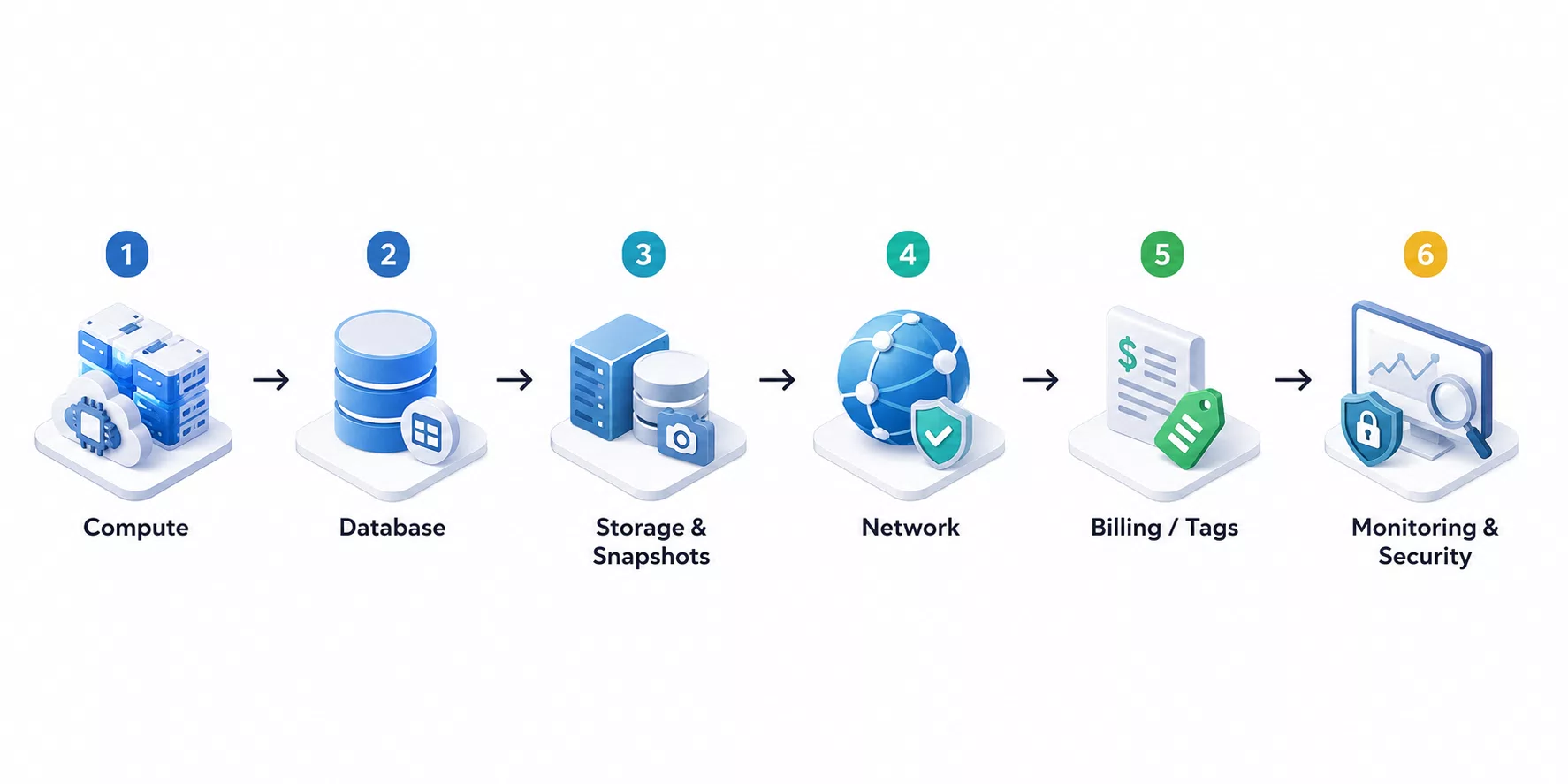
A good audit is an engineering breakdown of the entire picture of expenses and dependencies. Usually we look at several layers.
1. Compute resources
All virtual servers and related compute services are reviewed:
- production;
- staging;
- development;
- legacy after migrations;
- test and temporary environments;
- if available — Kubernetes / App Platform nodes.
For each resource, the purpose, CPU/RAM/disk utilization, traffic presence, and need for further use are recorded. A special focus is rightsizing: a server may be needed but oversized for the actual load.
2. Databases
At this stage it is important to understand:
- which instances are actually used;
- whether there are old or "forgotten" databases;
- whether additional replicas are needed;
- whether CPU, RAM, and disk match the actual load;
- where the boundary is between managed DBMS and self-hosted.
Any actions around a production database are performed with maximum caution. Savings should never create a risk of data loss or downtime.
3. Storage, volumes, and snapshots
This is where the "silent" tail of expenses is often found — not because object storage is always the most expensive line item, but because it is the least controlled.
The audit includes:
- object storage (archives, test files, media duplicates, old backups);
- Volumes / block disks detached from servers;
- Snapshots with unknown retention periods;
- retention and lifecycle policies.
In practice, the largest savings usually come from compute, databases, and network services; storage often turns out to be the second optimization frontier — especially if data accumulates for years without an owner.
4. Network and edge services
Separately from storage, the following are reviewed:
- DNS and outdated records;
- load balancers;
- Floating IP / reserved IP;
- Firewall rules;
- certificates;
- CDN;
- anomalies and excess egress traffic.
This layer often contains resources that "hang around" after old deployment schemes and continue to be billed.
5. Billing, tags, monitoring, and security
A full audit does not end with a list of servers. Additionally, we review:
- tags and attribution of resources to products/teams;
- alerts and monitoring for resources that should no longer exist;
- open ports, outdated images, public buckets;
- API keys and access related to decommissioned services.
A real engineering case: DigitalOcean
Recently, while maintaining a large product on DigitalOcean, we conducted a comprehensive infrastructure audit. The initial task sounded simple: understand what the monthly bill consists of.
Already at the inventory stage it became clear that the bill contained resources from previous stages of the product's development. As a result, the following were identified, among other things:
- several old Droplets that had long stopped participating in the production path;
- test and outdated staging environments;
- archival data from the previous version of the system;
- temporary development directories in object storage;
- unused backup data and excessive snapshots.
Before any decommissioning, additional verification was performed:
- DNS and entry point analysis;
- network traffic and request checks;
- analysis of connections between services;
- risk assessment for users and data;
- coordination of the observation window.
Only after that were resources decommissioned following a safe scenario.
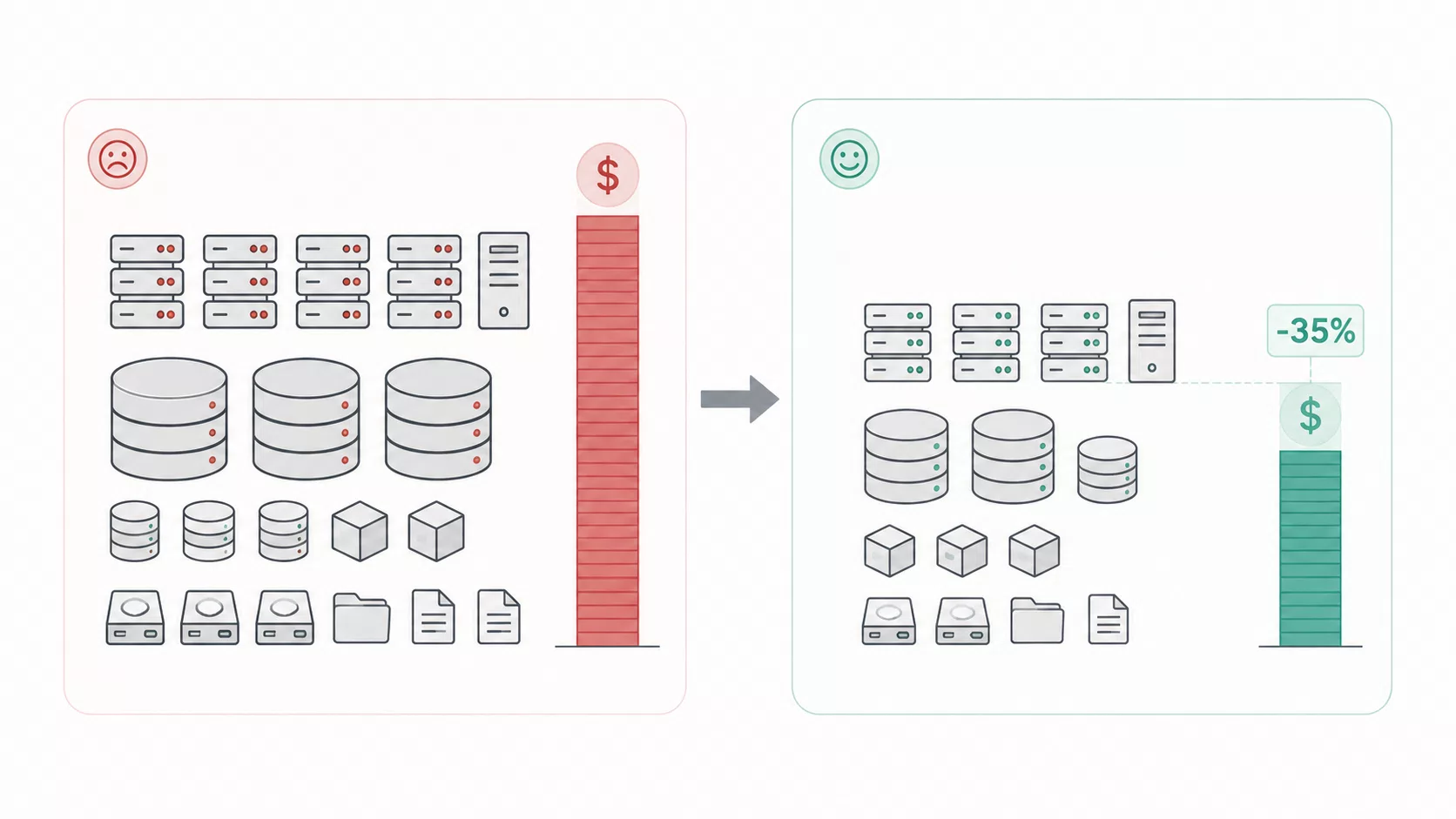
This approach reduced monthly expenses by approximately 35% without incidents in production during the control observation period. The main effect came from unused compute resources and the accompanying "tail" of storage/snapshots; network and auxiliary services provided additional but noticeable savings.
Why resources cannot be deleted immediately
The most dangerous mistake is saving without analysis. If the purpose of a server, volume, or directory is unknown, it cannot be deleted just because it "looks old."
Safe scenario:
- Conduct inventory and dependency audit.
- Determine the purpose and owner of the resource.
- Record the state in IaC/documentation (if it exists).
- Create a Snapshot or another agreed rollback point.
- Remove the resource from DNS / Load Balancer / critical entry points (taking TTL into account).
- Decommission the resource without destroying it immediately.
- Monitor the system within a predefined window (metrics, errors, support requests).
- Remove the resource from monitoring and billing expectations.
- Only after a successful observation window — delete and update IaC/runbook.
It is this sequence that reduces the risk of production downtime to a practically acceptable engineering minimum. The phrase "deleted everything unnecessary in one evening" in a mature infrastructure usually means a future incident.
How often to conduct an audit
The optimal frequency depends on the size and pace of changes of the project.
- MVP / early-stage product — every 6–12 months; additionally after every major migration.
- Small business — every 6–12 months; additionally after a stack or cloud change.
- Medium projects — every 6 months; additionally after noticeable traffic growth.
- High-load systems — quarterly; additionally after a release with a new topology.
Separately, it makes sense to launch an unscheduled audit after a migration, domain/brand change, sharp load increase, M&A, or when the monthly bill has grown without a comparable product growth.
A regular audit not only reduces expenses but also keeps infrastructure in a current, manageable state.
What the business gets
A regular infrastructure audit helps:
- reduce monthly cloud expenses;
- remove outdated and orphaned resources;
- simplify maintenance and onboarding of new engineers;
- reduce the attack surface by closing forgotten services and access;
- prepare the platform for scaling without the legacy of "temporary" solutions;
- reduce the likelihood of surprises during incidents and migrations.
In many cases, the cost of a single infrastructure audit pays for itself within a few months solely by reducing unnecessary expenses.
FAQ
How does an infrastructure audit differ from regular monitoring?
Monitoring answers the question "is the service alive right now." An audit answers the questions "is the resource needed," "how much does it cost," and "can it be safely removed."
Can servers with low load be deleted immediately?
No. Low utilization does not equal lack of criticality. First you need purpose, dependencies, entry points, and an observation window after decommissioning.
Where to start if the budget is already bloated?
With an inventory of all billed resources and a map of the production path: DNS → LB/CDN → compute → database → storage. Then — a list of candidates for decommissioning with a risk assessment.
Is the audit suitable only for DigitalOcean?
No. The principles are the same for AWS, GCP, Azure, and other clouds. DigitalOcean here is a specific engineering illustration, not a limitation of the method.
How to understand that the audit worked?
There is a measurable effect: bill reduction, fewer orphaned resources, an up-to-date infrastructure map — and no production degradation during the control period.
Conclusion
The infrastructure of a digital product almost never stands still. Along with new features, servers, environments, snapshots, load balancers, and temporary services appear. Without a regular audit, some of them turn into hidden expenses: they are not visible in daily work but are clearly visible in the monthly bill.
A competent infrastructure audit is not saving "at any cost," but a way to make balanced engineering decisions: remove the excess, preserve production stability, and leave the platform room to grow.
That is why a server infrastructure audit should be included in the product lifecycle — alongside security updates, backups, and performance monitoring.
Next step
If you need to quickly understand where waste is hidden in the current cloud bill, start with an inventory of Compute / Database / Storage / Network and a list of resources without an owner.
The Piplos Media team helps conduct such an audit carefully: with dependency checks, safe decommissioning of resources, and a clear effect on the budget.